


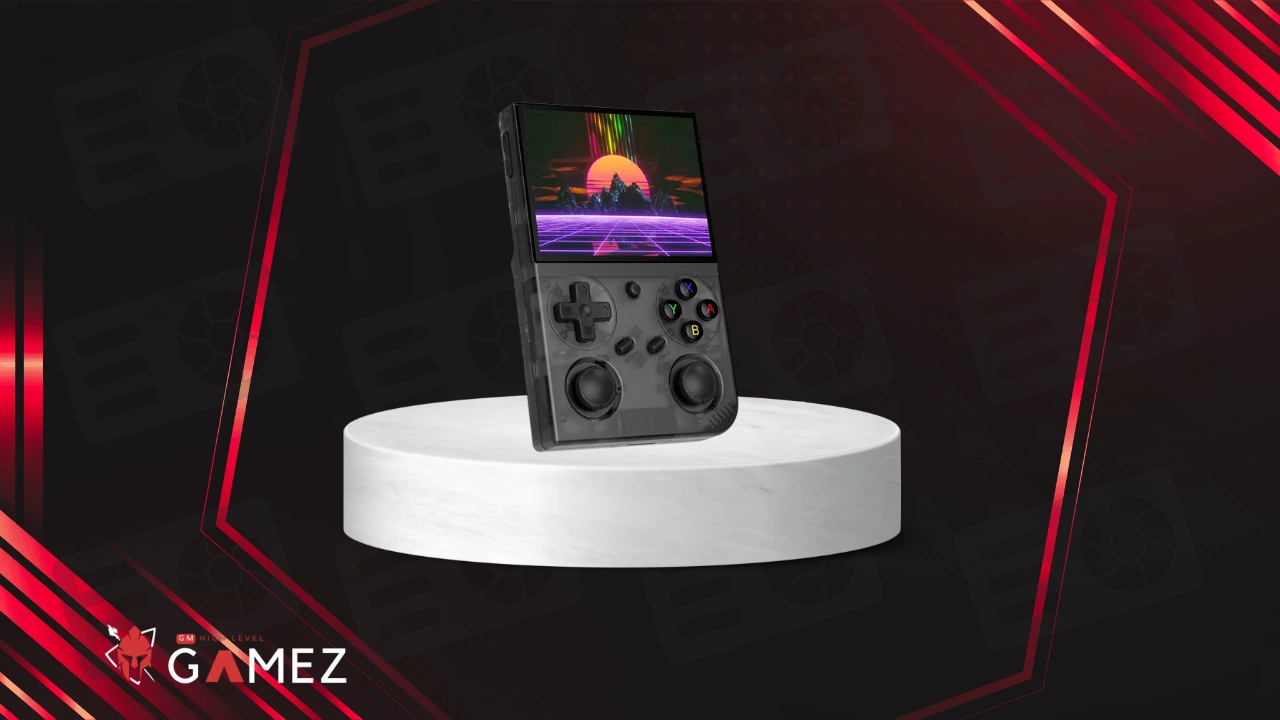
The BATLEXP G350 represents a fascinating blend of nostalgia and modern technology wrapped in a compact handheld gaming console perfect for retro enthusiasts everywhere
In this review I will analyze all aspects of the BATLEXP G350 in terms of performance specifications and various uses to help you decide if this little beast deserves a spot in your gaming collection
✅ You can buy BATLEXP G350 from Aliexpress buy following this Link.
What Is BATLEXP G350?
Let me tell you straight up – the BATLEXP G350 isn’t your ordinary run-of-the-mill toy that gathers dust after a week
This compact powerhouse is a Linux-based retro handheld gaming console that packs serious punch despite its pocket-friendly dimensions and honestly after spending countless hours with this device I can confidently say it’s become my go-to travel companion
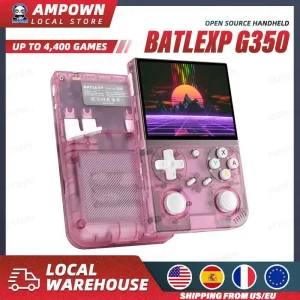
The G350 runs on a 64-bit Linux system which might sound intimidating but trust me it’s smoother than butter on hot toast and comes preloaded with a whopping 4000 games straight out of the box
What makes this device stand out from the crowd is its RK3326 chipset – yeah that’s right the same processor that powers many successful retro handhelds in the market right now
The 3.5-inch IPS screen might seem small at first glance but boy does it punch above its weight class with vibrant colors and crisp visuals that’ll make your eyes dance with joy
| Core Specifications | Details |
|---|---|
| Processor | RK3326 Quad-Core |
| Operating System | Linux 64-bit |
| Screen Size | 3.5 inches IPS |
| Storage Capacity | 64GB |
| Pre-installed Games | 4000+ titles |
| Architecture | ARM-based |
This isn’t just another emulation box – it’s a carefully crafted piece of hardware that respects both the legacy of classic gaming and the expectations of modern players who demand quality and performance
Read also: SF3000 Review: Still Worth Buying in 2025?
Who Developed the BATLEXP G350?
Now here’s where things get a bit mysterious and honestly kinda interesting
BATLEXP as a brand operates in that fascinating grey area of retro gaming hardware where Chinese manufacturers create incredible devices without the massive marketing budgets of big-name companies
The company behind the G350 focuses on delivering value-packed gaming experiences rather than flashy advertising campaigns and you know what I absolutely respect that approach
| Company Background | Information |
|---|---|
| Brand Name | BATLEXP |
| Origin | Chinese Manufacturer |
| Market Focus | Budget-Friendly Retro Gaming |
| Target Audience | Retro Gaming Enthusiasts |
| Product Philosophy | Value Over Marketing |
| Community Engagement | Active in Forums |
Manufacturer and Overview
BATLEXP operates as part of the larger ecosystem of Shenzhen-based electronics manufacturers specializing in retro gaming hardware and let me tell you this ecosystem is absolutely thriving right now
The manufacturing process involves sourcing quality components from reliable suppliers while keeping costs manageable enough to offer competitive pricing
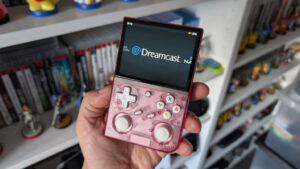
What I find really fascinating is how these manufacturers have created an entire supply chain dedicated specifically to retro gaming handhelds with specialized factories producing everything from custom IPS screens to modified chipsets
The G350 specifically represents BATLEXP’s attempt to capture the budget-conscious segment of the market without sacrificing too much on performance or build quality
| Manufacturing Details | Specifications |
|---|---|
| Production Location | Shenzhen China |
| Quality Control | Standard Manufacturing QC |
| Warranty Support | Limited Manufacturer Warranty |
| Distribution | Online Retailers Worldwide |
| Price Range | $40-$70 USD |
| Market Position | Budget to Mid-Range |
Design and Build Quality
Right off the bat I gotta say the G350 feels surprisingly solid in your hands considering its price point
The plastic shell doesn’t scream premium but it doesn’t feel cheap either – it’s that sweet spot of practical durability that won’t shatter if you accidentally drop it from your couch
The device measures roughly 145mm x 68mm x 15mm making it genuinely pocketable unlike some of those chunky retro handhelds that require cargo pants to carry around
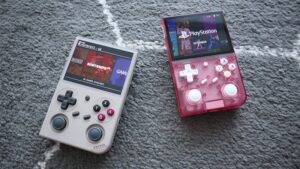
Weight-wise we’re looking at approximately 150 grams which feels just right – light enough for extended gaming sessions but heavy enough to feel substantial and not like a hollow toy
Color options typically include black grey and sometimes vibrant options like blue or red depending on the seller though black remains the most common variant
The button layout follows the classic Game Boy Advance SP inspiration with a D-pad on the left face buttons on the right and shoulder buttons up top
| Physical Dimensions | Measurements |
|---|---|
| Length | 145mm |
| Width | 68mm |
| Thickness | 15mm |
| Weight | ~150g |
| Material | ABS Plastic |
| Finish | Matte/Glossy Hybrid |
Build quality concerns? Yeah there are a few quirks worth mentioning
The shoulder buttons sometimes feel a bit mushy and don’t always provide that satisfying click feedback that gaming purists crave
Screen bezels are pretty thick by 2025 standards but honestly when you’re deep into a game of Street Fighter II you won’t even notice them
The back panel features a textured grip pattern that actually works really well for preventing slippage during intense gaming moments
Display and Visual Experience
That 3.5-inch IPS display is genuinely impressive and I’m not just blowing smoke here
The resolution sits at 640×480 which translates to a 4:3 aspect ratio – absolutely perfect for those classic games that were never meant to be stretched across widescreen displays
Colors pop beautifully with vibrant reds blues and greens that bring 8-bit and 16-bit sprites to life in ways that’ll make your inner child squeal with delight
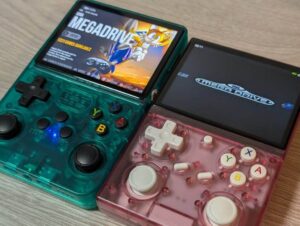
Viewing angles are solid thanks to IPS technology meaning you can tilt the device without colors washing out or inverting like those ancient TN panels from the stone age
Brightness levels are adjustable across multiple settings though outdoor visibility in direct sunlight remains challenging – but honestly when are you playing retro games at the beach anyway?
| Display Specifications | Details |
|---|---|
| Screen Size | 3.5 inches |
| Technology | IPS LCD |
| Resolution | 640×480 pixels |
| Aspect Ratio | 4:3 |
| Pixel Density | ~229 PPI |
| Brightness | Adjustable (5 levels) |
| Touch Support | No |
The screen-to-body ratio isn’t gonna win any awards but for a device at this price point I’m absolutely not complaining
One thing I really appreciate is the lack of screen tearing during fast-paced action sequences which plagued some earlier budget handhelds
Color accuracy leans slightly warm but nothing that’ll ruin your gaming experience – if anything it adds a nostalgic warmth to those pixelated graphics
Read also: BOYHOM R36S Aliexpress Review
Game Library and Compatibility
Here’s where the G350 really flexes its muscles – 4000 preloaded games sounds like marketing hype but the device actually delivers
The game library spans multiple systems including NES SNES Genesis Game Boy Game Boy Color Game Boy Advance PlayStation 1 and various arcade platforms through MAME
Now I’m not gonna pretend all 4000 games are AAA classics – there’s definitely some filler in there with obscure titles and regional variants padding the numbers
But the hits? Oh man they’re all there – Super Mario Bros Sonic the Hedgehog Street Fighter II Final Fantasy VII Castlevania Symphony of the Night Metal Slug and hundreds more
| Supported Systems | Compatibility Level |
|---|---|
| NES/Famicom | ⭐⭐⭐⭐⭐ Excellent |
| SNES/Super Famicom | ⭐⭐⭐⭐⭐ Excellent |
| Sega Genesis/Mega Drive | ⭐⭐⭐⭐⭐ Excellent |
| Game Boy | ⭐⭐⭐⭐⭐ Excellent |
| Game Boy Color | ⭐⭐⭐⭐⭐ Excellent |
| Game Boy Advance | ⭐⭐⭐⭐ Very Good |
| PlayStation 1 | ⭐⭐⭐ Good (some issues) |
| Arcade (MAME) | ⭐⭐⭐⭐ Very Good |
The organization system groups games by console which makes navigation relatively straightforward though searching for specific titles can feel like hunting for Waldo sometimes
You can add your own ROMs via microSD card expansion which opens up virtually unlimited gaming possibilities as long as you’re cool with the technical side of things
Some users report issues with certain PS1 games experiencing slowdown but honestly the RK3326 chip was never designed to be a PS1 powerhouse anyway
Performance and Emulation Quality
The RK3326 chipset performs admirably for 8-bit and 16-bit systems running NES SNES Genesis and Game Boy titles at full speed without breaking a sweat
Where things get dicey is with more demanding systems – PlayStation 1 games range from perfectly playable to slightly choppy depending on the specific title
Simple PS1 games like puzzle titles and 2D fighters run smoothly while 3D-heavy games like Crash Bandicoot or Tekken 3 might experience occasional frame drops during intense sequences
Game Boy Advance emulation hits that sweet spot of 85-95% perfect with most titles running flawlessly though some special chip games might act wonky
The 64-bit Linux OS provides a stable foundation that rarely crashes or freezes which is more than I can say for some Windows-based retro handhelds I’ve tested
| Emulation Performance | Frame Rate | Issues |
|---|---|---|
| 8-bit Systems | 60 FPS | None |
| 16-bit Systems | 60 FPS | Rare Audio Glitches |
| Game Boy Advance | 55-60 FPS | Minor Slowdown |
| PlayStation 1 (2D) | 55-60 FPS | Occasional Stutters |
| PlayStation 1 (3D) | 40-60 FPS | Frame Drops |
| Arcade Games | Varies | Game-Dependent |
Load times are surprisingly snappy with most games launching within 2-3 seconds which keeps the gaming flow smooth and uninterrupted
Save states work flawlessly across all emulators allowing you to save your progress anywhere in any game – an absolute godsend for those brutally difficult retro titles
Fast-forward functionality lets you speed through boring sections though honestly I rarely use it because these classic games were designed perfectly balanced already
Read also: Trimui Smart Pro Review
Controls and User Experience
The D-pad deserves special mention because it’s genuinely good – responsive accurate and perfect for those precise inputs required in fighting games and platformers
Face buttons (A B X Y) offer decent tactile feedback with just enough resistance to prevent accidental presses while maintaining quick response times
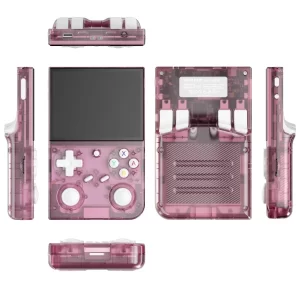
Shoulder buttons are the weak link here feeling somewhat mushy and occasionally requiring harder presses than ideal especially during marathon gaming sessions
The Start and Select buttons sit below the screen in easy reach though their slightly raised profile means accidental presses happen more often than I’d like
Menu navigation uses a combination of button presses that becomes second nature after an hour or two though the initial learning curve might frustrate newcomers
| Control Elements | Rating | Notes |
|---|---|---|
| D-Pad | 9/10 | Excellent responsiveness |
| Face Buttons | 8/10 | Good tactile feel |
| Shoulder Buttons | 6/10 | Somewhat mushy |
| Start/Select | 7/10 | Prone to accidental presses |
| Menu System | 7/10 | Learnable but not intuitive |
Button mapping options exist within the emulator settings allowing customization for different games though the process requires patience and experimentation
Ergonomics work well for short to medium gaming sessions but extended play beyond two hours might cause slight hand cramping due to the compact size
Sound and Audio Quality
The built-in mono speaker delivers surprisingly punchy audio that captures those nostalgic 8-bit and 16-bit soundtracks with decent clarity
Volume levels range from whisper-quiet to reasonably loud though cranking it to maximum introduces slight distortion especially with bass-heavy tracks
The 3.5mm headphone jack outputs clean audio with minimal interference making it perfect for private gaming sessions on buses trains or during boring family gatherings
Stereo separation through headphones enhances games that originally featured stereo sound though mono games remain mono obviously
Some users report a faint background hiss through headphones at lower volumes but honestly I only noticed it when actively listening for it in silent rooms
| Audio Specifications | Details |
|---|---|
| Speaker Type | Mono |
| Speaker Location | Bottom Front |
| Maximum Volume | 75-80 dB |
| Headphone Jack | 3.5mm Standard |
| Audio Quality | 16-bit |
| Background Noise | Minimal Hiss |
The lack of stereo speakers feels like a missed opportunity but given the device’s price point and compact dimensions it’s an understandable compromise
Audio sync issues are virtually nonexistent which matters more than you’d think – nothing ruins a gaming experience faster than off-sync sound effects
Read also: MIYOO Mini Plus Review
Connectivity and Ports
The port selection covers basics without overwhelming the compact design with unnecessary additions
MicroUSB charging port sits on top for power delivery and data transfer though I really wish manufacturers would move to USB-C already in 2026
MicroSD card slot supports cards up to 256GB officially though users report success with larger capacities for those wanting to load massive game libraries
The aforementioned 3.5mm headphone jack provides universal audio connectivity without requiring dongles or adapters
TV output? Nope not on this model which might disappoint some users wanting to enjoy games on bigger screens
| Port Configuration | Type | Function |
|---|---|---|
| Charging | MicroUSB | Power Input |
| Data Transfer | MicroUSB | File Transfer |
| External Storage | MicroSD | Game Storage Expansion |
| Audio Output | 3.5mm Jack | Headphones/Speakers |
| Video Output | None | N/A |
Wireless connectivity is completely absent – no WiFi no Bluetooth no nothing – which keeps costs down but limits online features and wireless controller support
Data transfer requires either removing the microSD card or connecting via USB cable to a computer which works fine but feels slightly archaic
Battery Life and Power Consumption
Battery performance sits at approximately 4-6 hours depending on screen brightness and the systems being emulated
Running less demanding 8-bit games at medium brightness easily pushes past the 6-hour mark while PS1 gaming with maximum brightness drains faster
The 2500mAh battery charges fully in about 2-3 hours using a standard 5V/1A adapter though faster chargers work too without damaging the battery
Power consumption remains reasonable with the device never getting uncomfortably hot even during extended gaming marathons
Battery indicator provides rough estimates rather than precise percentages which can lead to unexpected shutdowns if you’re not paying attention
| Battery Specifications | Performance |
|---|---|
| Capacity | 2500mAh |
| Typical Runtime | 4-6 hours |
| Charging Time | 2-3 hours |
| Standby Time | ~48 hours |
| Heat Generation | Minimal |
| Battery Life Cycle | 300-500 charges |
Sleep mode works effectively for preserving battery during breaks though I recommend fully powering down for longer periods
The battery isn’t user-replaceable without opening the device which could be problematic years down the line but that’s standard for modern electronics
Read also: ANBERNIC RG35XX H Review
Storage and Customization Options
That 64GB internal storage provides ample space for the preloaded 4000 games with room leftover for additional titles
MicroSD expansion allows virtually unlimited storage growth letting you build custom collections spanning tens of thousands of games
The Linux-based system supports custom firmware though I strongly recommend sticking with stock unless you’re comfortable with potential bricking risks
Game organization can be customized through folder structures and favorites lists making it easier to access your most-played titles
Save states are stored separately from ROMs ensuring your progress remains intact even when swapping SD cards or updating game files
| Storage Options | Capacity | Usage |
|---|---|---|
| Internal Storage | 64GB | Pre-installed Games |
| Available Space | ~10GB | User Content |
| MicroSD Slot | Up to 256GB+ | Game Expansion |
| Save State Storage | Internal | Game Progress |
| Custom Firmware | Optional | Advanced Users |
Transferring ROMs requires basic computer knowledge and familiarity with file systems but countless YouTube tutorials make the process accessible to beginners
BIOS files for certain systems like PlayStation 1 need proper setup for optimal compatibility though most arrive preconfigured
Multiplayer Features
Here’s where the G350 shows its limitations – multiplayer options are basically nonexistent in any meaningful capacity
| Multiplayer Capability | Support Level |
|---|---|
| Online Multiplayer | ❌ Not Supported |
| Local Wireless | ❌ Not Supported |
| External Controllers | ❌ Not Supported |
| Hot-Seat Gaming | ✅ Limited Support |
| Link Cable Emulation | ❌ Not Supported |
For a device focused on personal portable gaming this isn’t a dealbreaker but multiplayer enthusiasts should look elsewhere
Read also: KINHANK K36 Review: Still Worth Buying in 2025?
Pros & Cons of BATLEXP G350
Is BATLEXP G350 Worth Buying in 2026?
Let me be brutally honest with you – this device absolutely nails its target audience while simultaneously missing the mark for others
If you’re a casual retro gaming enthusiast wanting affordable access to childhood favorites without breaking the bank the G350 represents outstanding value
| User Type | Recommendation | Reasoning |
|---|---|---|
| Casual Gamers | ✅ Highly Recommended | Perfect value and ease of use |
| Retro Enthusiasts | ✅ Recommended | Great for 8/16-bit gaming |
| Budget Shoppers | ✅ Highly Recommended | Outstanding price-to-performance |
| Tech Enthusiasts | ⚠️ Consider Alternatives | Limited customization |
| Multiplayer Fans | ❌ Not Recommended | No connectivity features |
| PS1 Specialists | ⚠️ Mixed Results | Inconsistent performance |
In 2026 the retro gaming handheld market has exploded with options at every price point and the G350 remains competitive specifically in the under-$70 segment

✅ You can buy BATLEXP G350 from Aliexpress buy following this Link.
FAQs About BATLEXP G350
The device ships with approximately 4000 games spanning multiple retro systems including NES SNES Genesis Game Boy and PlayStation 1 though quality varies across the collection
Absolutely yes through the microSD card slot you can load custom ROMs and expand your library to virtually unlimited sizes
Battery life ranges from 4-6 hours depending on screen brightness settings and which systems you’re emulating with lighter games lasting longer
